
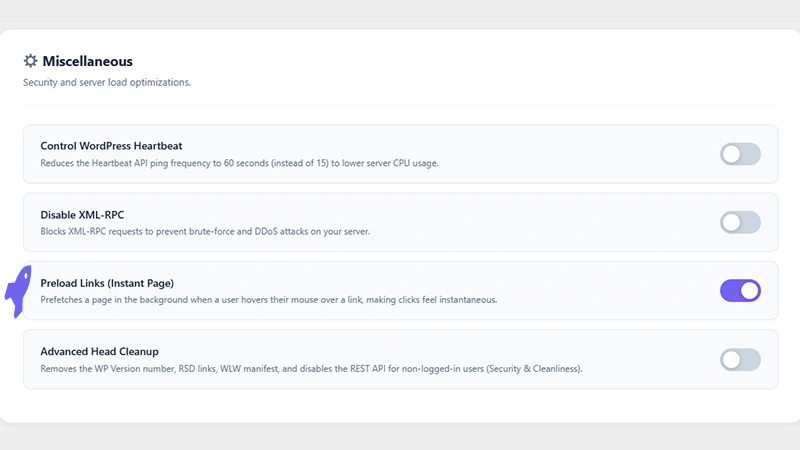
In today’s fast-paced digital world, speed is everything. We’ve all heard the statistics: a single-second delay in page load time can lead to a significant drop in conversions, page views, and customer satisfaction. While optimizing images, minifying code, and leveraging browser caching are essential steps, there’s a secret weapon that can make your website feel incredibly fast: Link Preloading.
Often referred to as the “Instant Page” effect, link preloading is a clever optimization technique that bridges the gap between a user deciding to click a link and the next page actually loading.
Here’s a deep dive into how this feature works and why it’s a game-changer for your website’s user experience.
The Magic of the “Hover”
Think about the physical action of clicking a link on a desktop computer. You move your mouse, the cursor hovers over the link, you pause for a fraction of a second, and then you click.
On average, there is a 300 to 400-millisecond delay between the moment a user’s mouse hovers over a link and the moment they actually press the mouse button. To a computer, 300 milliseconds is an eternity.
The Preload Links feature takes advantage of this brief window of time.
How Preload Links Work
Instead of waiting for the user to complete the click, the Preload Links feature anticipates their action.
- Hover Detection: The moment a user’s cursor hovers over an internal link on your site, the feature springs into action.
- Background Prefetching: During those crucial milliseconds before the click, the browser silently fetches the HTML of the destination page in the background.
- Instantaneous Delivery: By the time the user actually clicks the mouse button, the page has already been downloaded. The browser simply displays it, making the transition feel almost instantaneous.
For mobile users, this feature often triggers on touch-start (when the user’s finger first touches the screen) before the click is fully released, offering a similar burst of speed on mobile devices.
Why You Need Link Preloading
Implementing link preloading isn’t just a neat technical trick; it has real, tangible benefits for your website:
Unbeatable Perceived Performance
Website speed isn’t just about what speed test tools say; it’s about how fast your site feels to a human being. By eliminating the network latency that usually follows a click, link preloading makes your site feel incredibly snappy and responsive. It gives users the impression of a high-end, zero-friction application.
Lower Bounce Rates and Higher Engagement
When navigation is seamless and fast, visitors are far more likely to explore deeper into your website. They will read more articles, view more products, and spend more time engaging with your content simply because the friction of waiting for pages to load has been removed.
Increased Conversions
A smooth, friction less user journey is directly tied to higher conversion rates. Whether you want users to fill out a lead form, complete a checkout process, or subscribe to a newsletter, removing delays keeps their momentum going.
Efficient Use of Resources
Because the feature only prefetches the HTML document (and not heavy assets like images or large scripts immediately), it is incredibly lightweight. It provides a massive boost to perceived speed without consuming excessive server bandwidth or draining the user’s data plan.
Conclusion
If you’ve already tackled the basics of website performance, activating the Preload Links (Instant Page) feature is one of the highest-impact optimizations you can make. By predicting user behavior and utilizing the idle milliseconds before a click, you can transform your website’s navigation from standard to instantaneous.
Ready to give your visitors a zero-delay experience? You can easily enable the Preload Links feature in Leverage Browser Caching PRO plugin settings.